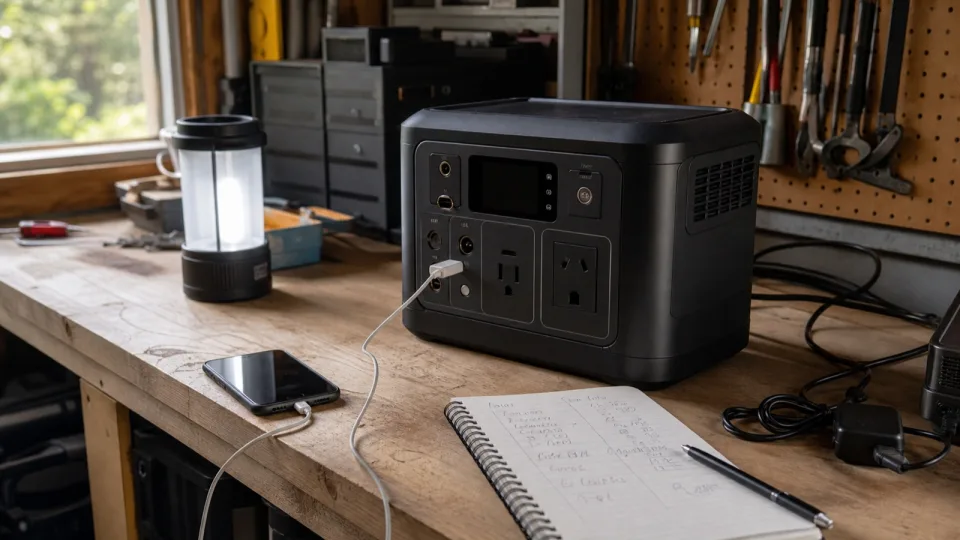
Size an outage power station from a must-run load list, not from a product category. Add the watt-hours each load needs, adjust for explicit conversion and reserve assumptions, then verify continuous watts, startup demand, outlets, and recharge limits separately.
The outage backup load planner performs the energy arithmetic. This guide explains what to enter and what the battery total does not tell you.
Step 1: define the outage you are planning for
“Backup power” can mean four hours of internet and lights or two days of refrigeration and medical equipment. Write down:
- The loads that must run
- The loads that would be convenient but can be dropped
- Hours of operation per day
- Number of days before a reliable recharge
- Whether each load is constant, manually scheduled, or cycling
- Whether loss of power creates a safety or medical risk
Do not include an appliance just because it appears in a product photo. Heating appliances, cooking appliances, pumps, air conditioners, and well equipment can move the plan into a much larger output and energy range.
For medical equipment, follow the device manufacturer’s backup guidance and discuss critical plans with the appropriate medical provider. A general calculator is not a substitute for a validated backup arrangement.
Step 2: calculate delivered energy by load
For a constant load:
Daily energy (Wh) = average watts x hours used per dayUse a plug-in energy meter over a representative period when a device cycles or changes modes. A refrigerator’s nameplate current is not the same thing as its average daily energy. If an EnergyGuide label gives annual kWh, the refrigerator and freezer outage calculator can convert that figure into a daily planning value.
Here is an illustrative one-day essentials list. Replace every number with your equipment’s measured or documented draw.
| Load | Average watts | Planned hours | Delivered energy |
|---|---|---|---|
| Modem and router | 12W | 12h | 144Wh |
| LED lighting | 10W | 6h | 60Wh |
| Fan | 35W | 8h | 280Wh |
| Laptop charging | 65W | 2h | 130Wh |
| Total | 614Wh |
This total describes energy delivered to the loads. It is not yet the battery nameplate target.
Step 3: state conversion and reserve assumptions
For loads powered through the AC inverter:
Required battery Wh
  = delivered load Wh / (inverter efficiency x usable battery fraction)
Using a 90 percent efficiency assumption and holding 10 percent of nameplate capacity in reserve:
Required battery Wh = 614Wh / (0.90 x 0.90) = 758WhBecause 758Wh exceeds the 700Wh shopping bucket, the first upward bucket is 1000Wh. The exact model still needs at least 758Wh of actual nameplate capacity. A product with a “1000” name but only 700Wh would not qualify.
This example deliberately shows both assumptions. Do not replace them with an unexplained catch-all buffer. USB-C and regulated DC outputs follow different conversion paths, so a mixed-output plan may need load-by-load measurements for better accuracy.
Step 4: round only after the calculation
Use these classes as search ranges, never as specifications:
| Required nameplate capacity | First class to compare |
|---|---|
| Up to 300Wh | 300Wh |
| 301-500Wh | 500Wh |
| 501-700Wh | 700Wh |
| 701-1000Wh | 1000Wh |
| 1001-1500Wh | 1500Wh |
| 1501-2000Wh | 2000Wh |
| 2001-3000Wh | 3000Wh |
If the calculation is 1001Wh, a 1000Wh station is too small. Move to the 1500Wh search range, then verify the exact capacity. Above 3000Wh, compare larger or expandable systems and reconsider whether a portable unit is the right architecture.
Step 5: check watts and startup separately
Capacity answers duration. Output answers whether the load can run.
Check:
- Combined continuous load: add the watts of devices that may operate at the same time.
- Startup demand: identify compressors, pumps, motors, and power supplies that can draw more when starting.
- Surge conditions: verify how the manufacturer defines peak output and how long it is available.
- Voltage and waveform: match the equipment requirements.
- Ports: check AC outlet count, USB-C power profiles, regulated DC output, and any per-port limits.
Current product specifications illustrate why this is a separate screen. EcoFlow lists the RIVER 2 at 256Wh with 300W AC output. Jackery lists the Explorer 1000 v2 at 1070Wh with 1500W output. The ratio between battery Wh and inverter W is not fixed across models.
For a refrigerator, freezer, sump pump, or other motor load, use its manual or a suitable meter to establish startup behavior. Do not assume that a marketing “surge” number guarantees every motor will start.
Step 6: size the recharge path for repeat days
A battery covers a gap; charging makes the plan repeatable. Record:
- AC charging time and input limit
- Vehicle-charging limit and whether the intended outlet can supply it
- Solar input watt limit
- Solar voltage and current window
- Whether charging while powering loads is supported in the required mode
- The energy source available when the outage is regional or prolonged
If the example load uses 614Wh each day, a repeatable plan must replace roughly that delivered energy plus charging losses each day. A large battery with a small solar input can postpone the problem without solving it.
Use the solar recharge time calculator to compare battery energy, panel watts, station input limits, sun hours, and an explicit efficiency assumption.
Treat refrigeration as its own plan
Battery runtime and food safety are separate clocks. Door openings, room temperature, appliance efficiency, and cycling affect energy use. FoodSafety.gov’s current outage guidance should determine food handling decisions, not the percentage remaining on a power station.
Run refrigeration through the dedicated outage calculator, verify compressor startup, and keep the official food-safety guidance available offline.
Final purchase screen
Reject a model if any one of these fails:
- Actual nameplate Wh is below the calculated minimum
- Continuous AC or DC output is below the simultaneous load
- Startup capability is not adequate for a required motor load
- Charging input cannot support the repeat-use plan
- Required ports, cables, temperature range, or operating mode are missing
- The manufacturer does not provide enough documentation to verify the setup
Next action: save a one-day must-run load list in the outage backup load planner, remove nonessential loads, then compare exact models against the resulting capacity, continuous output, and startup requirements.
Disclosure: As an Amazon Associate I earn from qualifying purchases.
Shop only after the load plan
Verify current specifications and warranty terms on the manufacturer’s site. Marketplace titles and model numbers can be incomplete or inconsistent.